
Branches #
Open Branches from the activity bar. The page works on the system selected in the project tree; without a system it shows Select a system to view branches.
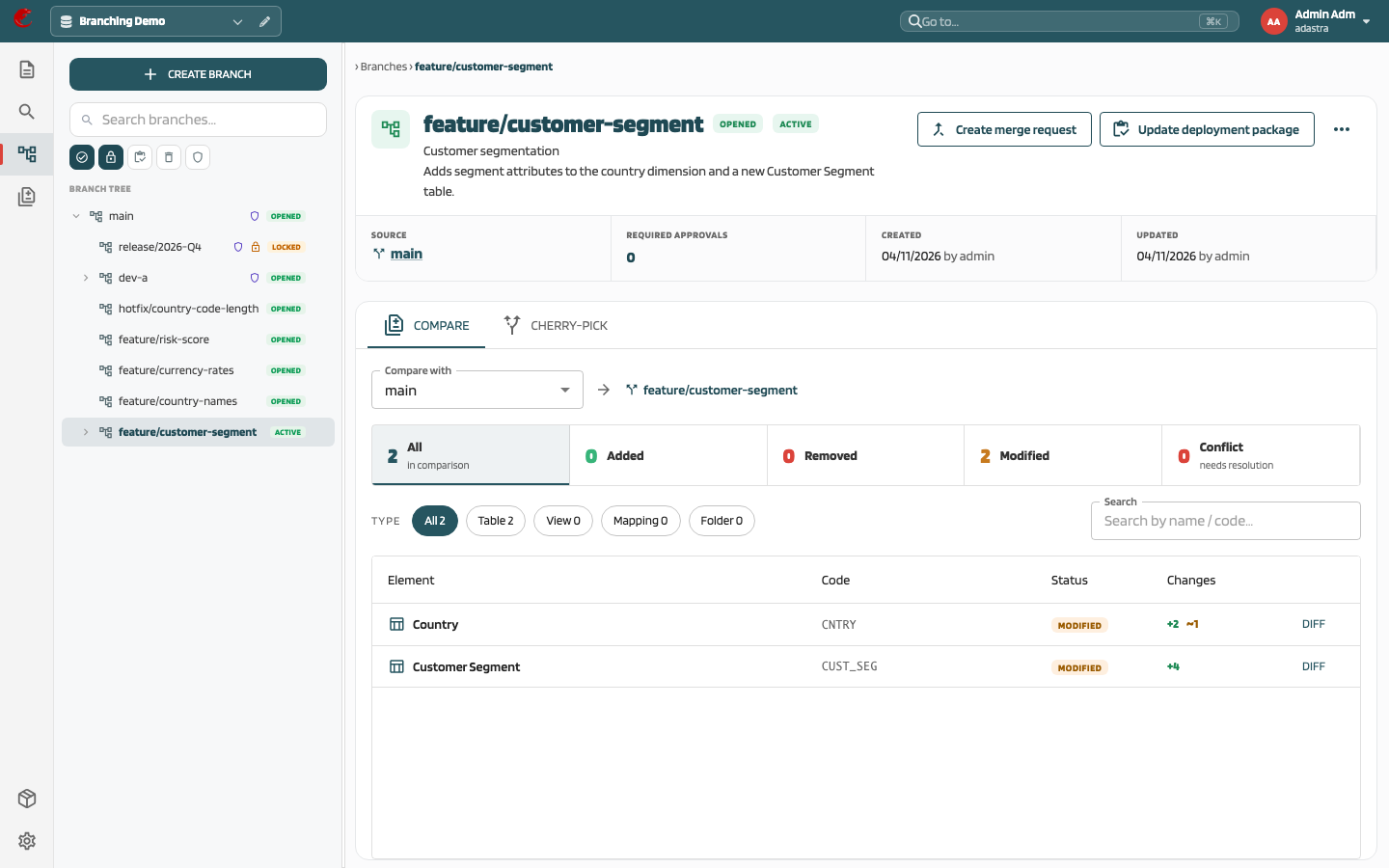
Branch tree #
The left panel shows Branch tree with a search field (Search branches…, filters by name) and filter pills:
| Filter | Shows |
|---|---|
| Opened | Active branches (default together with Locked) |
| Locked | Locked branches (default) |
| Archived | Archived branches |
| Deleted | Deleted branches |
| Protected | Only protected branches |
Default view in a system you open for the first time:
- Opened and Locked branches are shown
- Only the path from
mainto your active branch is expanded - The active branch carries the Active tag
Branches that do not match the filter but are needed to keep the tree continuous (for example an archived parent) are shown greyed out. Your filter and expanded nodes are remembered per user and system.
Right-click a branch (or use its menu) to open the context menu described below.
Create branch #
Click Create branch in the sidebar, or Create branch in the context menu of the branch you want to branch from.
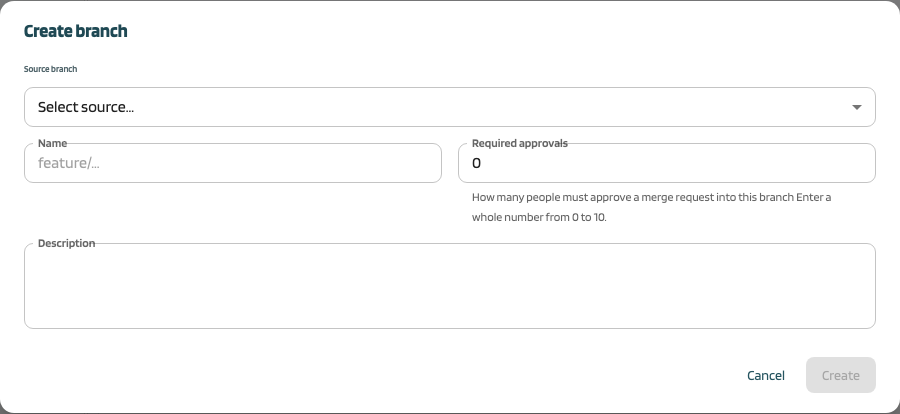
| Field | Description |
|---|---|
| Source branch | Branch the new branch starts from |
| Name | Required, unique within the system (placeholder feature/...) |
| Required approvals | How many people must approve a merge request into this branch. Pre-filled with the system parameter Minimum number of approvers; allowed range is that minimum to 10 |
| Description | Optional, Markdown |
The new branch is Active. Every element starts from the source branch’s current version (see Concepts); relations are copied as well.
Branch detail #
Select a branch to open its detail.
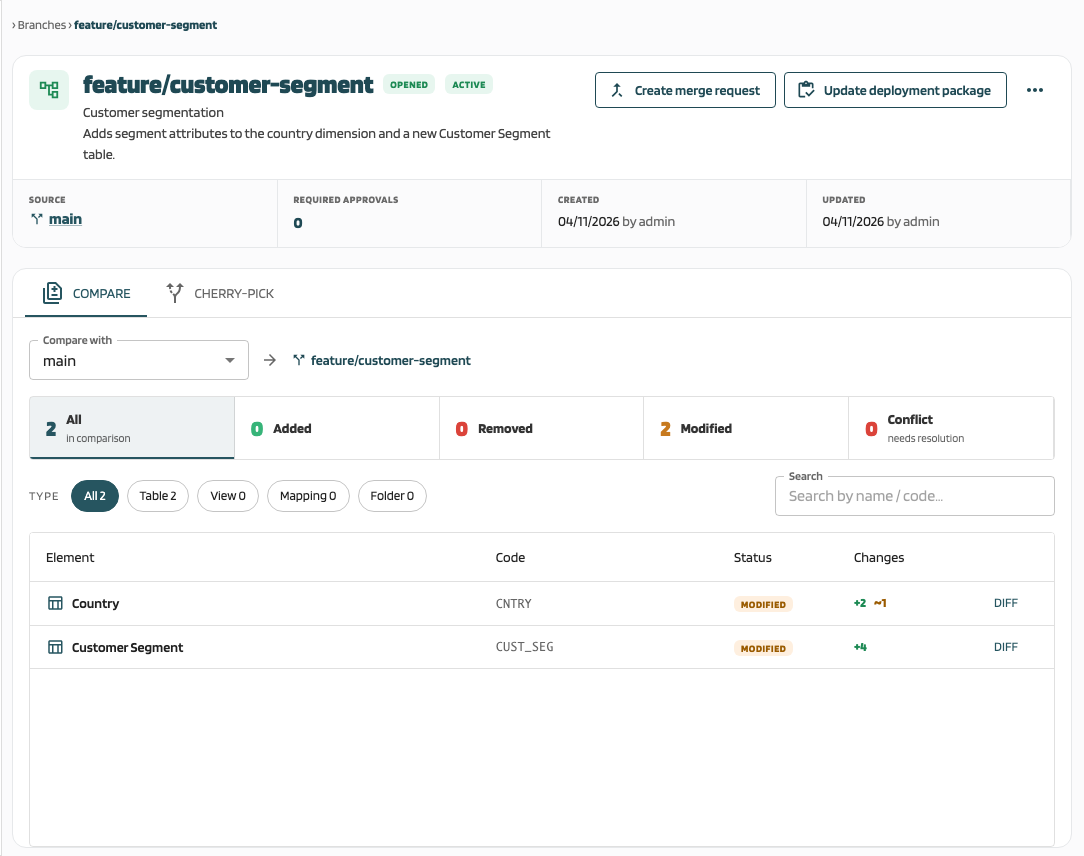
- Header: branch name, status badge (Opened, Locked, Archived, Deleted), Active badge when it is your working branch, Protected and Confidential badges
- Description: rendered as Markdown
- Branch info: Source (parent branch or Root branch), Required approvals, Created and Updated with by {user}
- Buttons: Create merge request, Update deployment package, and the context menu
- Compare / Cherry-pick tabs: embedded comparison with another branch (Compare with), by default the parent. For
main, select a branch first (Select a branch to compare with.). See Compare and diff and Rebase and cherry-pick.
Context menu #
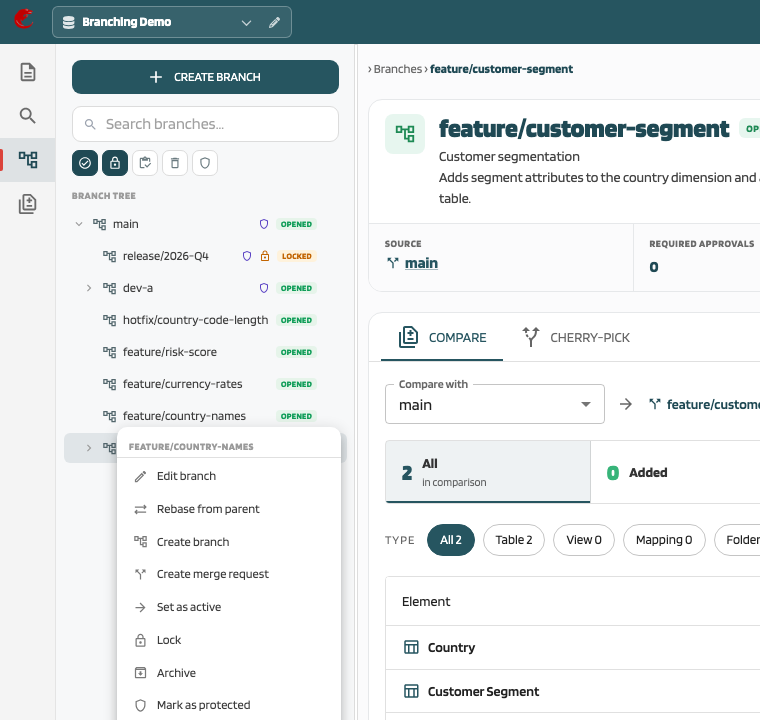
| Item | Availability | Effect |
|---|---|---|
| Edit branch | Opened or Locked | Edit name, description, required approvals |
| Rebase from parent | Opened, not protected, has a parent | See Rebase |
| Create branch | Not deleted | Create a child branch |
| Create merge request | Not deleted | Opens the MR dialog with this branch as source |
| Set as active | Not the current active branch | Switch the project tree to this branch |
| Lock / Unlock | Admin | Status Locked ↔ Opened |
| Archive / Restore from archive | Admin | Status Archived ↔ Opened |
| Mark as protected / Remove protection | Admin | Toggle the protected flag |
| Compare with… | Always | Compare this branch against a selected branch |
| Delete | Admin | Soft-delete after confirmation Delete branch “{name}”? |
Admin items are disabled for other users with the note Admin actions require the Project Admin role. In the current build, “admin” means a user who is an administrator or has the create system permission.
Edit branch #
Edit branch changes Name, Description, and Required approvals.
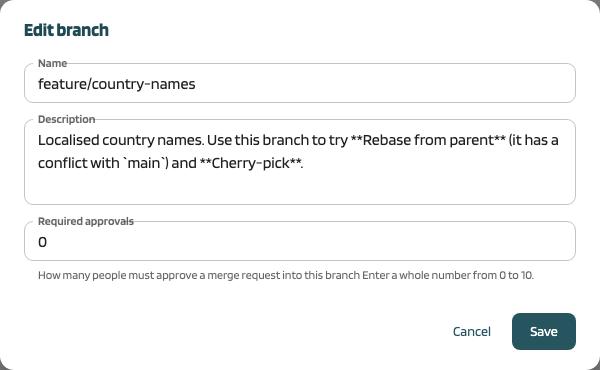
- Allowed only for Opened and Locked branches (also protected ones and
main) - The name must not be empty or used by another branch (Enter a branch name., A branch with this name already exists.); the name of
maincannot change - Required approvals must be between the system minimum and 10
- Changing required approvals re-evaluates the quorum of open merge requests into the branch
- Renaming does not change existing version labels
- The change is written to the audit log
Delete branch #
Delete is refused when:
- the branch is
main - the branch has child branches that are not deleted
- another user has elements of the branch locked
A deleted branch keeps its record (status Deleted), but its working data, element tree, and relations are removed. There is no restore for deleted branches.