
Compare and diff #
Compare shows which elements differ between two branches and lets you drill down to field-level changes. The same comparison drives merge requests, rebase, and cherry-pick.
Where to compare #
- Branch detail → Compare tab: Compare with defaults to the parent branch. For
main, select a branch first. - Context menu → Compare with…: dialog Compare branch (Comparing {branch} against), then the same comparison view.
- Merge request detail: affected structures with their diff (see Merge requests).
- Versions tab: compare two versions of one element on the active branch.
Any branch of the system except deleted ones can be selected.
Changed elements #
The comparison lists elements that changed on the compared branch since its baseline (see Concepts):
| Category | Meaning |
|---|---|
| Added | Element exists on the compared branch but not on the other |
| Removed | Element was deleted on the compared branch |
| Modified | Element content changed, or the element was moved to another folder |
| Conflict | The element changed on both branches since the common baseline and the same field has different values |
Elements that were not changed on the compared branch are not listed, even when the other branch changed them.
When you compare a branch with its parent (the default), every changed element is shown as Modified (also elements created on the branch) and conflicts are not calculated. Added and Conflict appear when you compare with another branch, in the Cherry-pick tab, and in merge requests.
Filters: category pills (All … in comparison, Added, Removed, Modified, Conflict … needs resolution), element Type, and Search (Search by name / code…). Columns: Element, Code, Status, Changes (counts of added +, modified ~, removed − fields).
Empty states: No differences between these branches. and No element(s) match the selected filters.
Field-level diff #
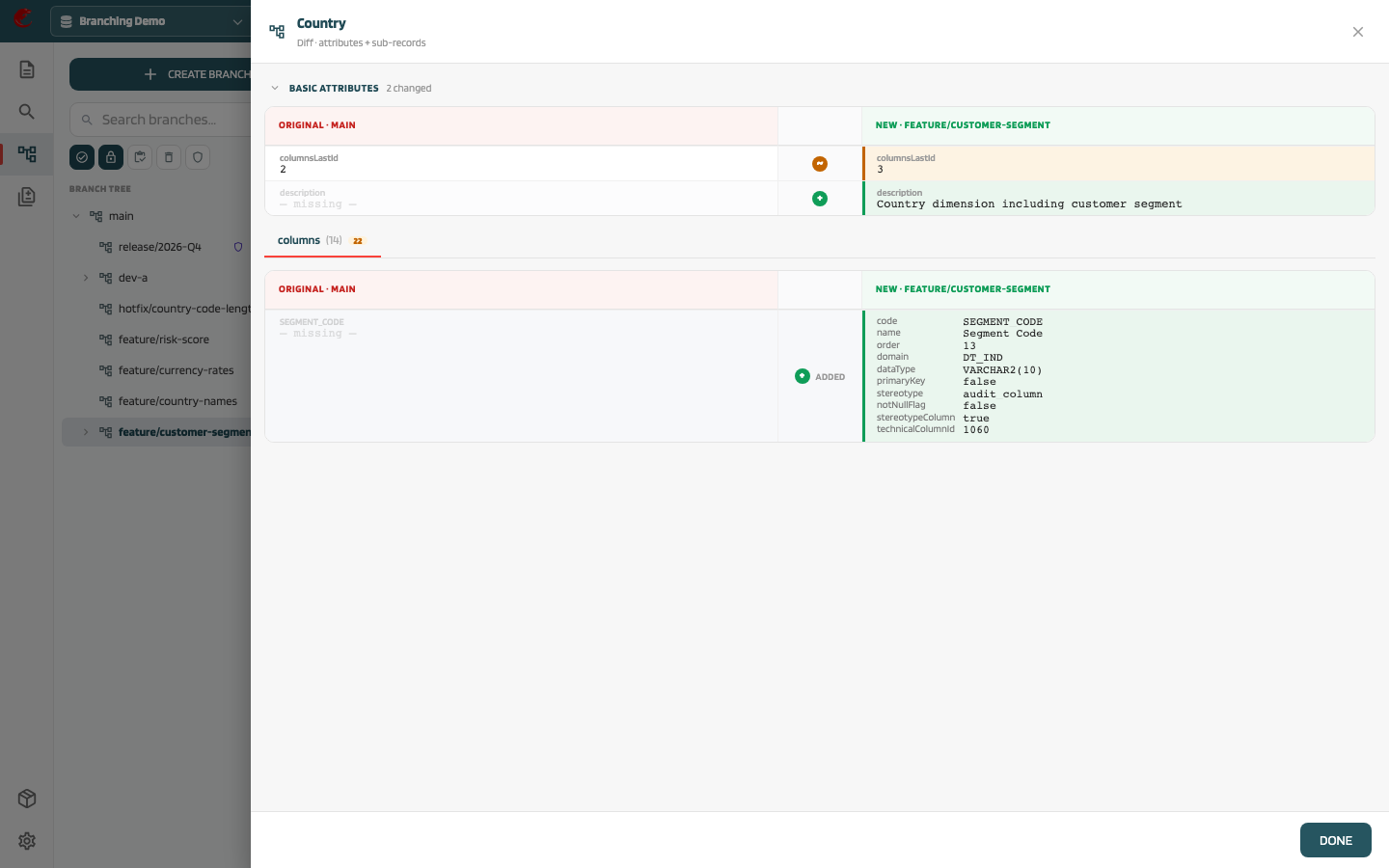
Click Diff on a row to open the field-level view: basic attributes and sub-records (columns, indexes, sources…) side by side, Original on the left and New on the right, with added fields in green, removed in red, and modified in amber.
How conflicts are detected #
MetaCroc compares three versions of each element: the baseline (common ancestor), the version on one branch, and the version on the other branch.
| Situation | Result |
|---|---|
| Field changed only on the source side | Taken from source |
| Field changed only on the target side | Kept from target |
| Field changed on both sides to the same value | No conflict |
| Field changed on both sides to different values | Conflict |
Conflicts are resolved per field with Source, Target, or Custom (custom value), or in bulk with Accept all source, Accept all target, Reset. Resolution is required in merge requests, rebase, and cherry-pick before the change can be applied.