
Merge requests #
A merge request (MR) proposes applying the changes of a source branch onto a target branch. It collects approvals, holds conflict resolutions, and is merged with an explicit Merge action.
Lifecycle #
stateDiagram-v2 direction LR state "Changes requested" as ChangesRequested state "In review" as Review { [*] --> Open [*] --> Approved: 0 approvals, no conflicts Open --> Approved: Quorum reached Approved --> Open: Required approvals raised Open --> ChangesRequested: Request changes ChangesRequested --> Open: Mark as open Open --> Stale: Marked stale (API) Stale --> Open: Diff recalculated } [*] --> Review: Create MR Review --> Merged: Merge (Approved only) Review --> Rejected: Reject Review --> Closed: Close MR (author)
The same lifecycle as plain text:
| Status | Meaning |
|---|---|
| Open | Waiting for approvals and conflict resolution |
| Changes requested | A reviewer asked for changes; the author can Mark as open again |
| Approved | Quorum reached; banner Quorum reached — complete the merge with the Merge button. |
| Merged | Changes were applied to the target |
| Rejected | A reviewer rejected the MR |
| Closed | The author closed the MR without merging |
| Stale | The MR was marked outdated (Target branch changed — diff was recalculated; quorum must be obtained again.) |
MetaCroc does not yet mark MRs as Stale automatically when the source or target branch changes. Stale is set through the API (PUT /v2/merge-request/{id}/stale) and cleared by recalculating the diff (PUT /v2/merge-request/{id}/recalculate). The Merge action always re-runs the comparison on current data, so a merge never overwrites independent target changes.
Create a merge request #
Click Create MR on the Merge Requests page, or Create merge request on a branch (detail button or context menu, which pre-fills the source).
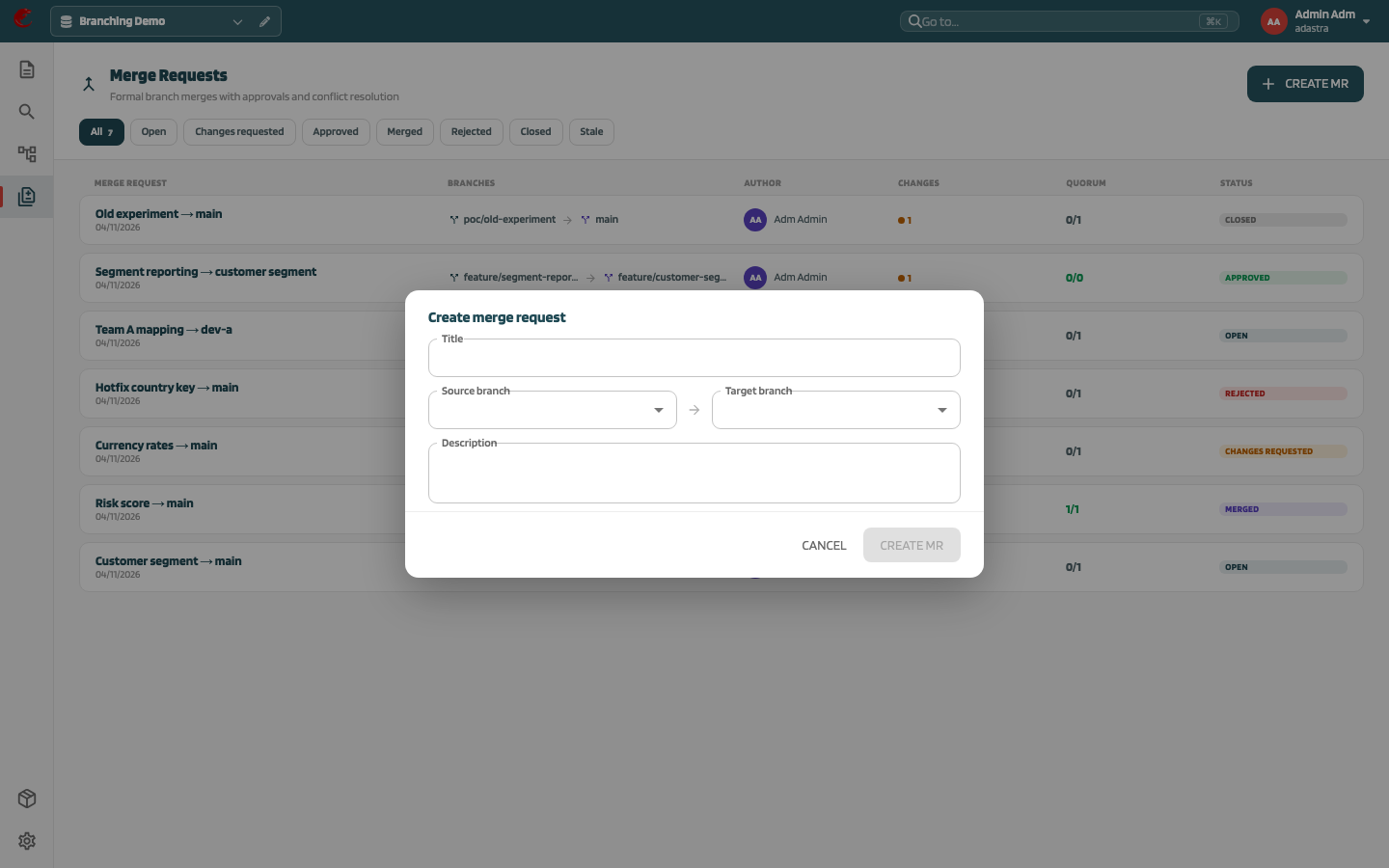
| Field | Description |
|---|---|
| Title | Name of the MR |
| Source branch → Target branch | Must differ (Source and target branch must be different.) |
| Description | Optional |
The MR always contains the full change set of the source branch. MetaCroc computes the changed elements and conflicts against the target when the MR is created.
If the target requires 0 approvals and there are no conflicts, the MR is created directly as Approved.
The API also supports a partial scope (scope: PARTIAL with selected structure ids). Such MRs are marked · cherry-pick in the list. The UI dialog does not offer the selection; to move individual elements use
Cherry-pick.Review #
The MR detail shows Affected structures (with added / removed / modified counts and N unresolved conflicts), History of decisions, and the Approvals panel.
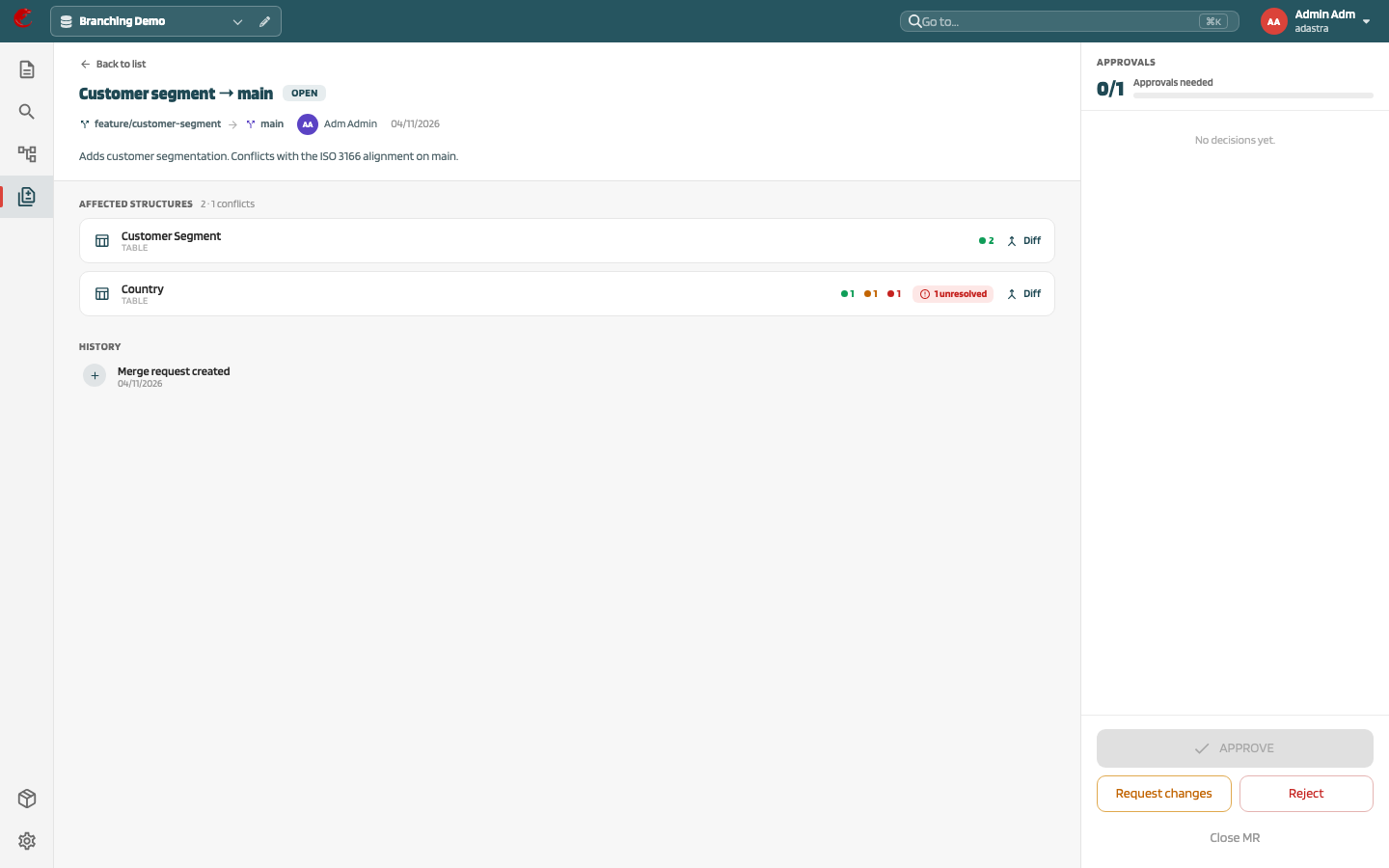
| Action | Effect |
|---|---|
| Approve | Counts towards the quorum. Disabled while conflicts are unresolved (Resolve {n} conflicts first) and for the author unless self-approval is allowed (You cannot approve your own merge request) |
| Request changes | Asks What needs changing?; status Changes requested |
| Reject | Asks for a Rejection reason; status Rejected |
| Close MR | Author only; status Closed |
| Mark as open | Author only, after Changes requested. Starts a new review round: earlier votes no longer count |
Each user can vote once per review round. The panel shows {approvals}/{required} with Quorum reached or Approvals needed. The quorum is the target branch’s Required approvals; when that value changes, open MRs are re-evaluated immediately.
Resolve conflicts #
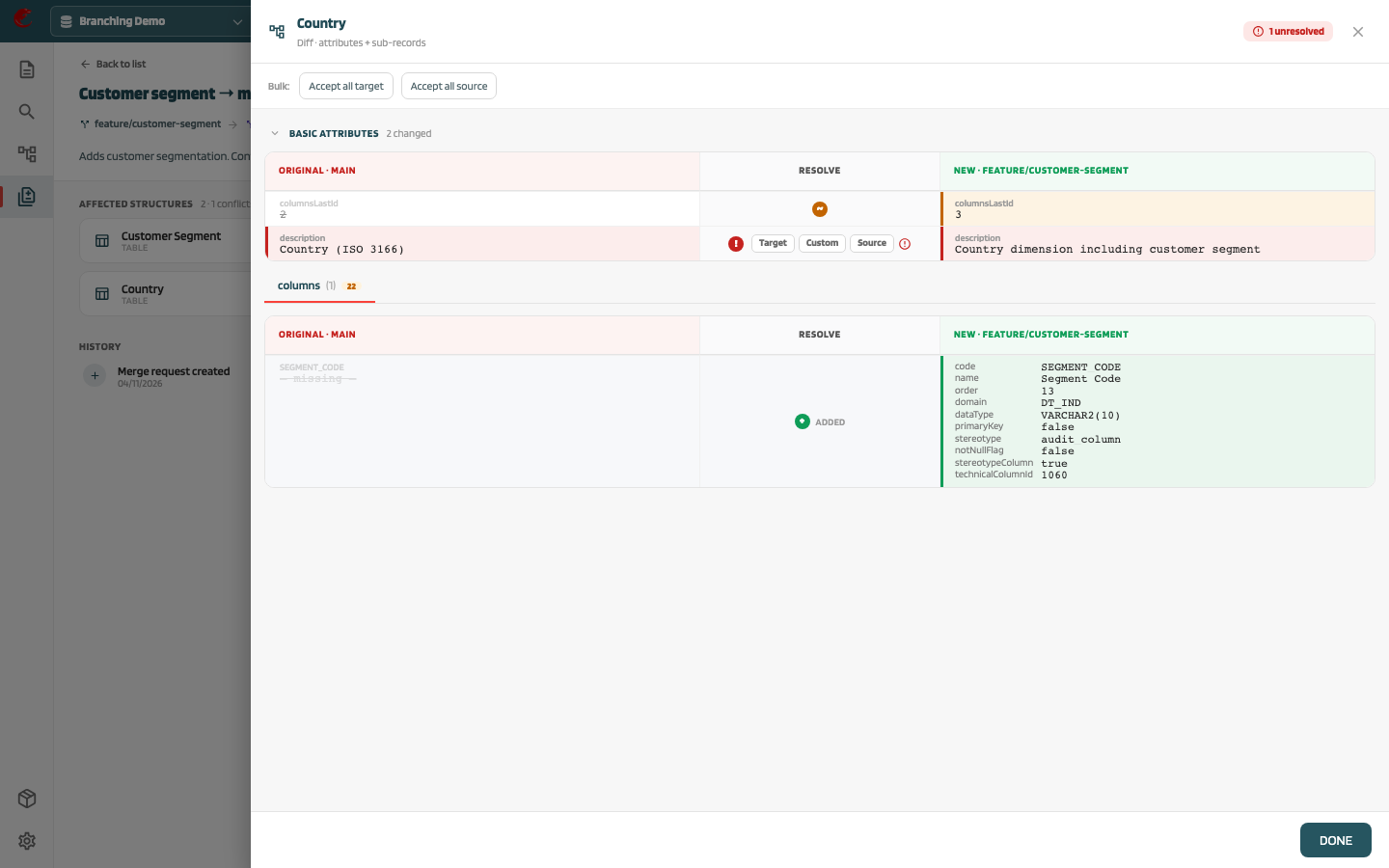
Click Diff on an affected structure to open the diff drawer. For every conflicting field choose Source, Target, or Custom, or use Accept all source / Accept all target. Resolutions are saved on the MR and used when merging. See Compare and diff.
Merge #
When the MR is Approved, the Merge button appears.
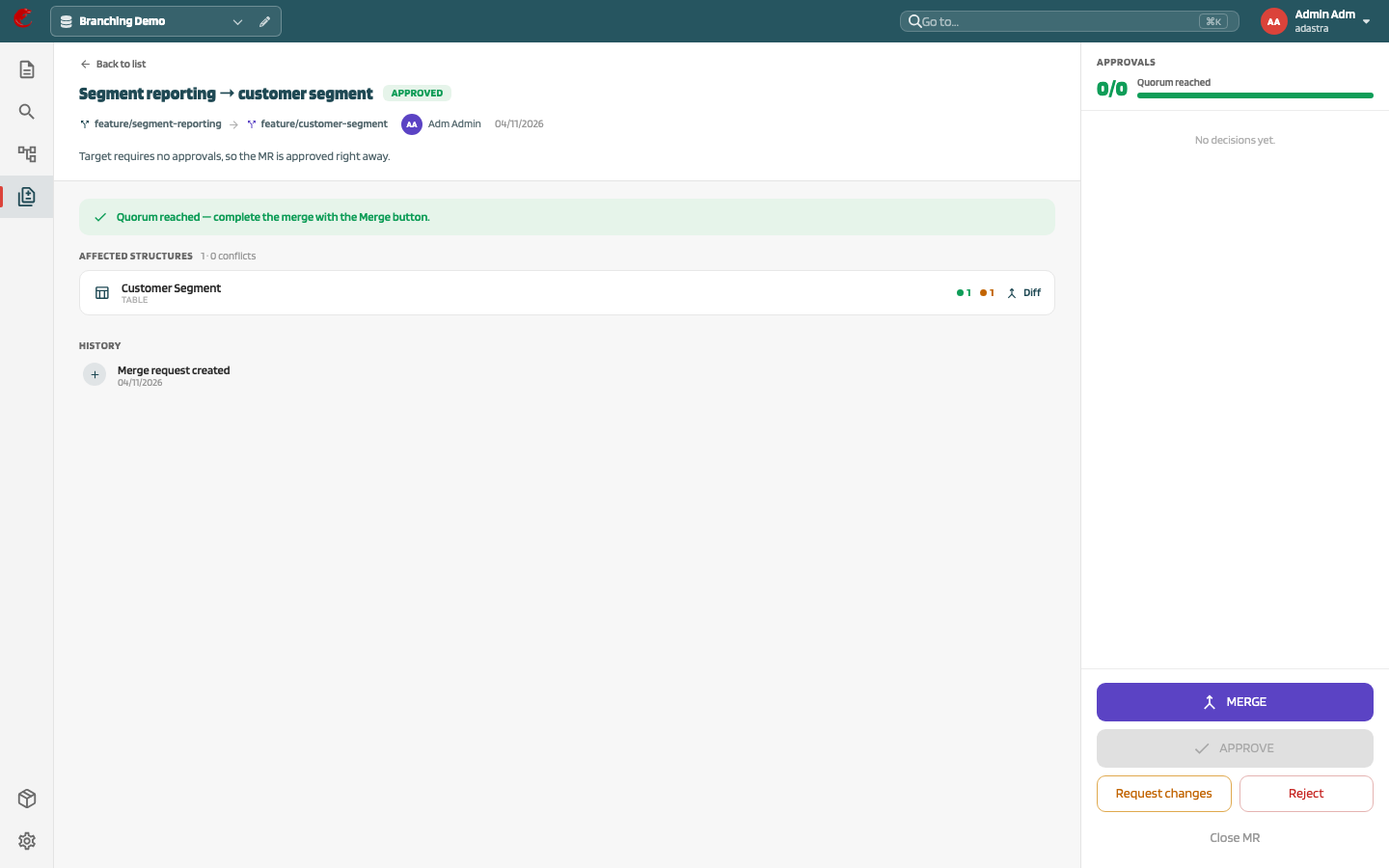
Merge:
- recomputes the changes between source and target on current data
- merges each changed element three-way (baseline, target, source) and applies the saved resolutions
- creates a new version on the target for each changed element (description Merged from branch {source}), applies moves and deletions, and updates relations
- records a merge event (who, when, scope) and sets the MR to Merged
The whole merge runs in one transaction: if anything fails, neither branch changes.
If the target has Require explicit merge action set, the executing user holds a merge lock on the target while the merge runs; another user cannot merge into it at the same time.
Merging into a protected branch is the intended way to change it.
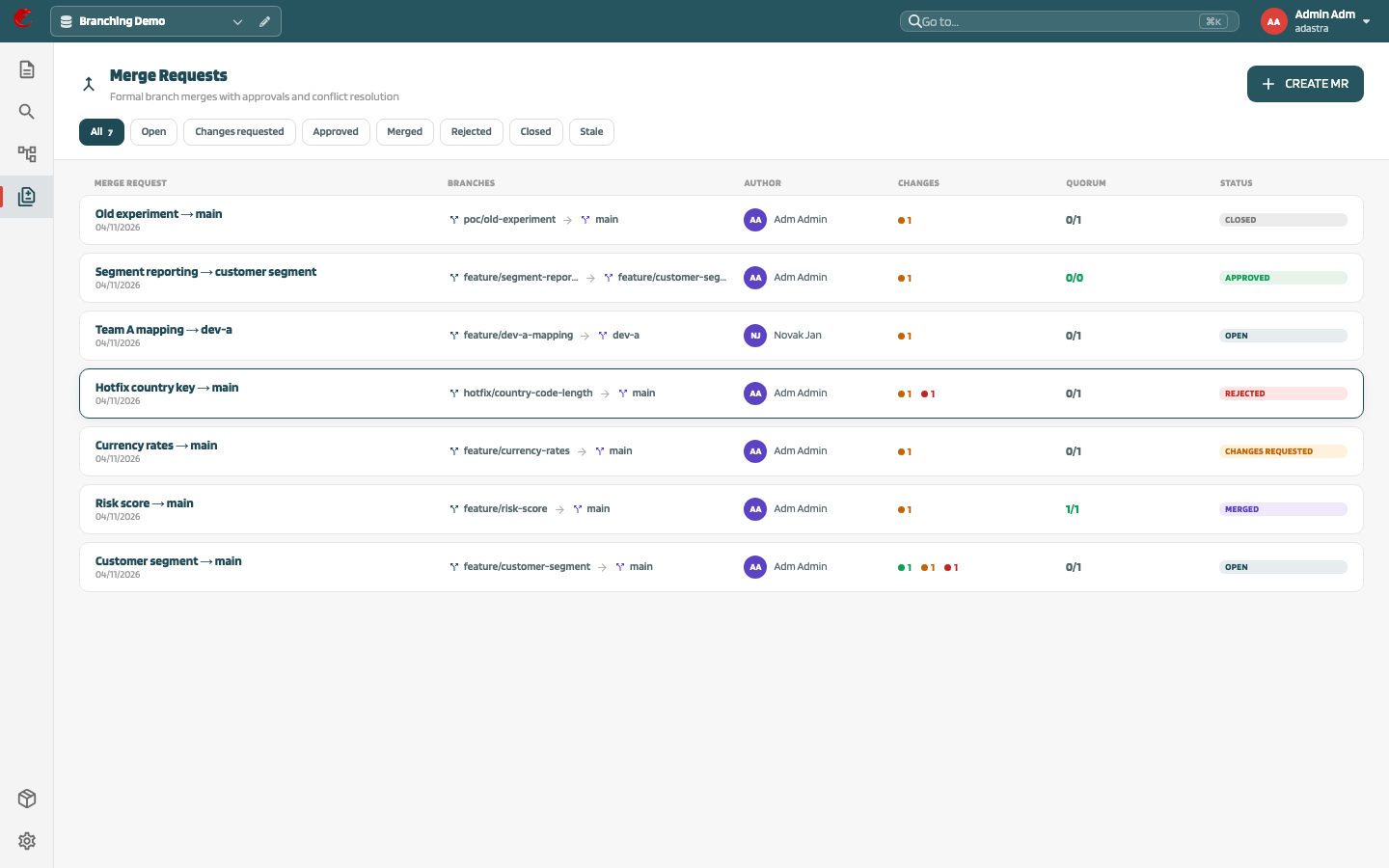
List #
Filter pills: All, Open, Changes requested, Approved, Merged, Rejected, Closed, Stale. Columns: Merge request, Branches, Author, Changes, Quorum, Status.