
Rebase and cherry-pick #
Two ways to bring changes onto a branch without a merge request. Both are performed directly by the user, need no approval, and are written to the audit log.
Rebase from parent #
A branch starts from the parent’s versions at creation time and does not see later parent pushes (see Concepts). Rebase from parent moves the branch onto the parent’s current state and keeps the branch’s own changes on top.
When it is available #
The context menu item Rebase from parent is shown only if the branch:
- has a parent branch (not
main) and was not created from a deployment package - is Opened (Active)
- is not protected
Rebase is blocked while a merge request with this branch as source or target is Draft, Open, Changes requested, Approved, or Stale. The dialog shows Open merge requests are blocking this rebase. and lists those MRs.
What happens #
Opening the dialog starts the rebase immediately:
| Outcome | Result |
|---|---|
| Parent has not changed | Message that the branch is up to date; nothing changes |
| No conflicts | The branch is rebased right away (Rebased from the parent branch) |
| Conflicts | List of conflicting elements; Resolve every conflict before the rebase can finish. Resolve each (Resolve → Resolved), then Apply rebase |
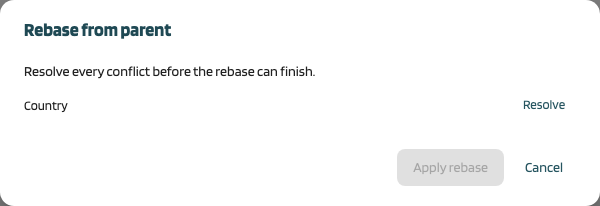
Closing the dialog during conflict resolution leaves the branch unchanged.
For every element of the branch:
- the baseline moves to the parent’s current version
- an element the branch never changed simply follows the parent
- an element changed on the branch gets a new version that combines parent and branch changes (three-way merge with your resolutions)
- elements that exist only on the parent are added to the branch
Rebase updates only this branch. Its child branches keep their own baselines. The audit log records old and new baselines and the conflict resolutions.
Cherry-pick into this branch #
Cherry-pick copies selected elements from another branch into the branch whose detail is open.
When it is available #
- The target (current) branch is Opened and not protected
- No open merge request involves the target branch (same blocking rule as rebase; Open merge requests are blocking this cherry-pick.)
- The source can be any non-deleted branch of the system. Confidential source branches are hidden from users without VIEW permission on the system.
Steps #
On the branch detail open the Cherry-pick tab and choose a branch in Pick from.
Mark one or more changed elements and click Cherry-pick {n} element(s).
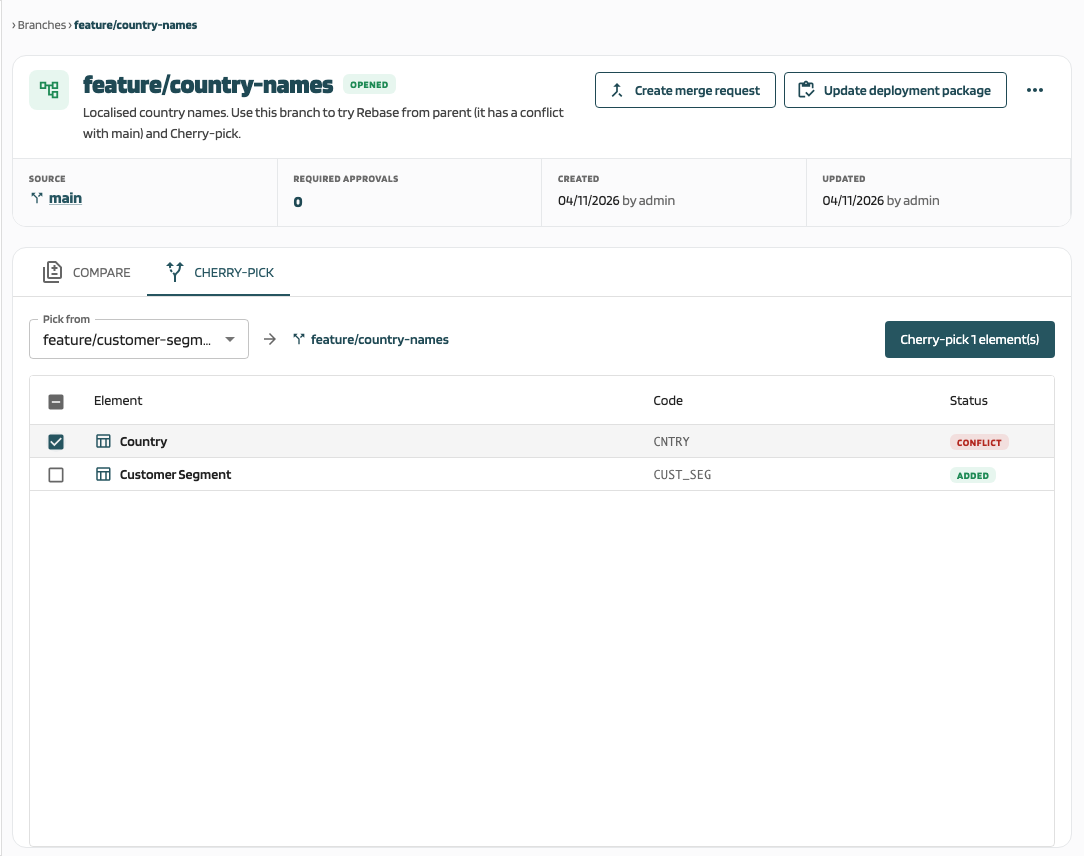
MetaCroc prepares a preview:
- Missing dependencies: Some elements depend on structures that are not on this branch. Those dependencies will not be added. with {element} depends on {structure}. Click Continue to transfer anyway.
- Conflicts: Resolve conflicts for each element you want to keep. Leaving one out drops only that element. Use Resolve or Leave out per element.
- Elements deleted on the source cannot be transferred.
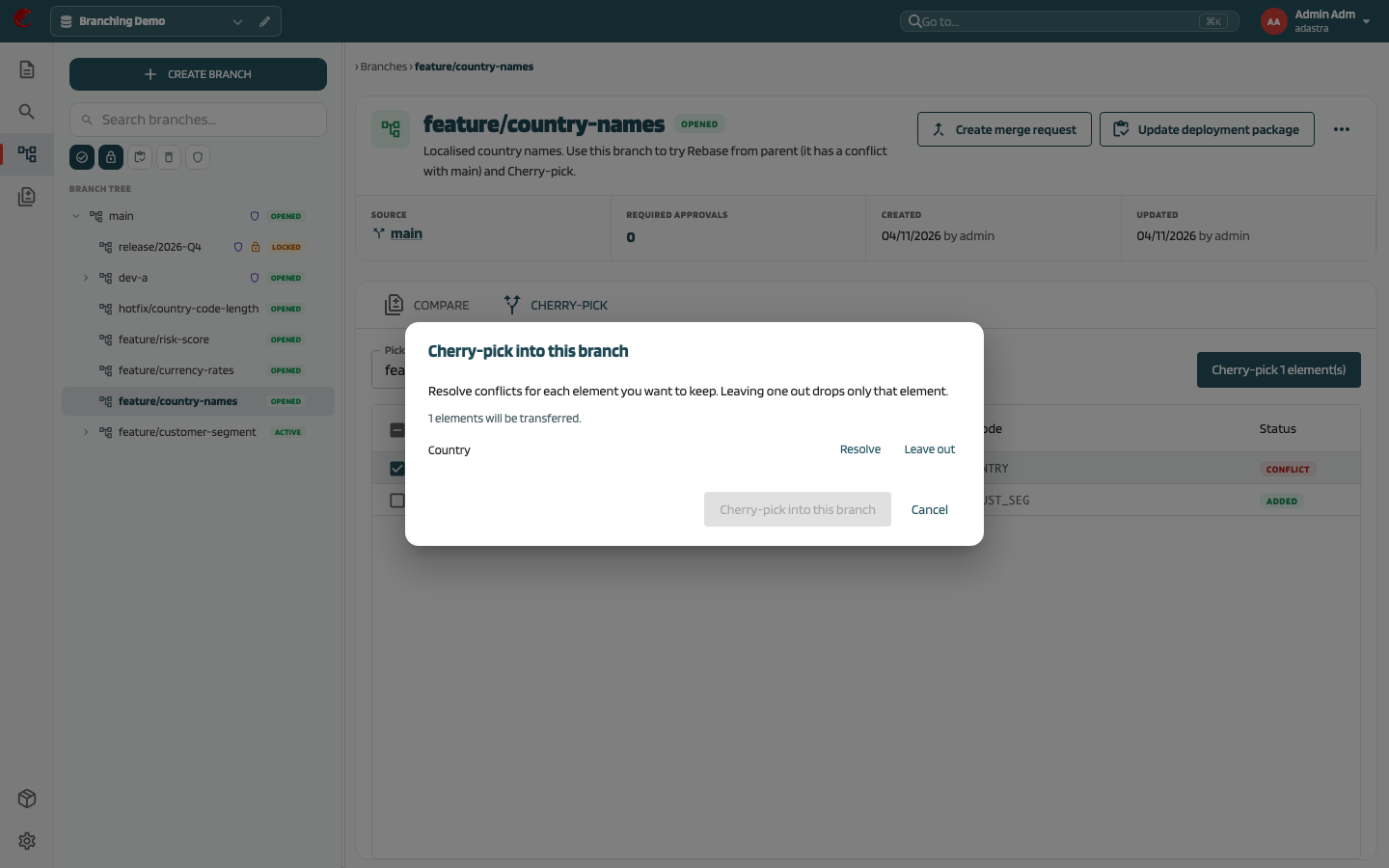
Click Cherry-pick into this branch. The result shows Transferred {n} elements. and any skipped elements with the reason.
Rules #
- The current content of each element on the source branch is transferred, not a specific historical version.
- Each transferred element gets a new version on the target; the source branch is not changed.
- Conflicts are detected against the nearest common version of the element on both branches.
- Each element is transferred completely or not at all. If an element changed on either branch after the preview, it is skipped as stale.
- Each transferred element is written to the audit log.
Cherry-pick vs merge request #
| Cherry-pick | Merge request | |
|---|---|---|
| Scope | Selected elements | Full change set of the source branch |
| Target | Opened, not protected | Any branch, including protected |
| Approval | None | Quorum of the target |
| Missing dependencies | Warning, user confirms | Not checked |
| Deletions | Not transferred | Transferred |