
Data contract on Folder #
Folder Overview includes a Data contract (ODCS) section for lightweight Open Data Contract Standard–style header metadata. Use it to describe the contract context of a data-product folder before exporting metadata to a catalog or downstream data-quality tools.
Column-level quality rules are defined separately on Table columns via Great Expectations checks. See Data contract (ODCS) in MetaCroc for how header metadata and column rules work together.
Where to find it #
- Open a Folder in the project tree.
- Go to the Overview tab.
- Scroll to the Data contract (ODCS) section below standard identification and metadata fields.
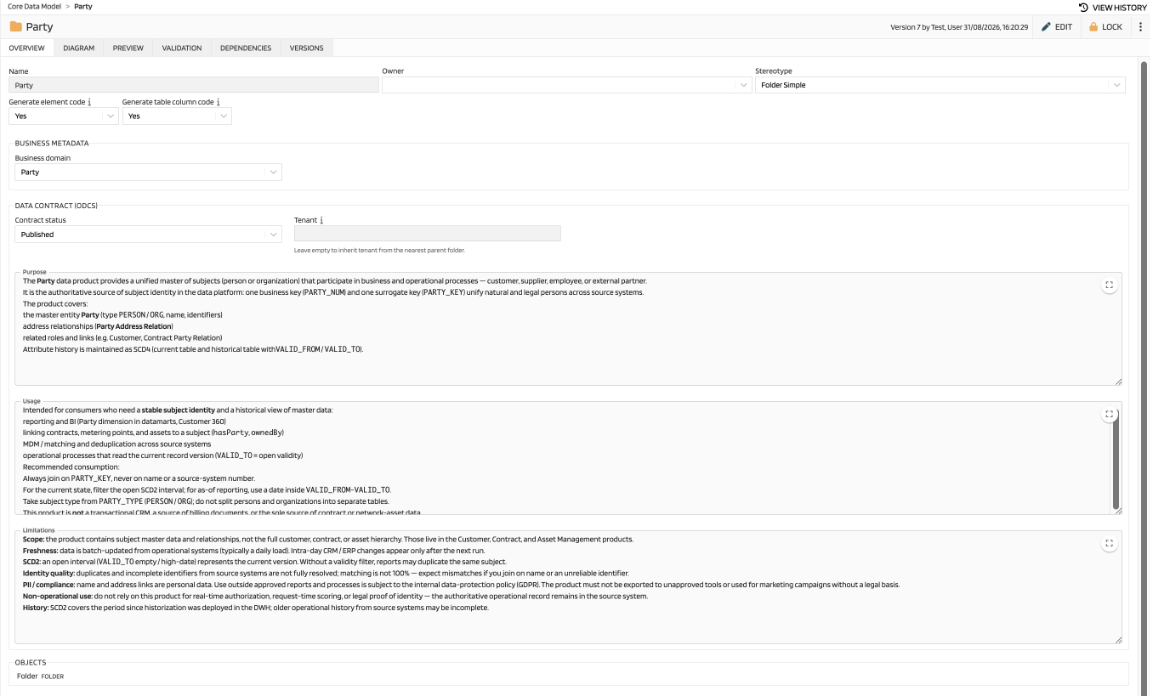
Changes are saved with the folder using the same Save / Push workflow as other Overview fields. Edit mode is required to modify ODCS fields.
Fields #
| Field (UI label) | Stored as | Description |
|---|---|---|
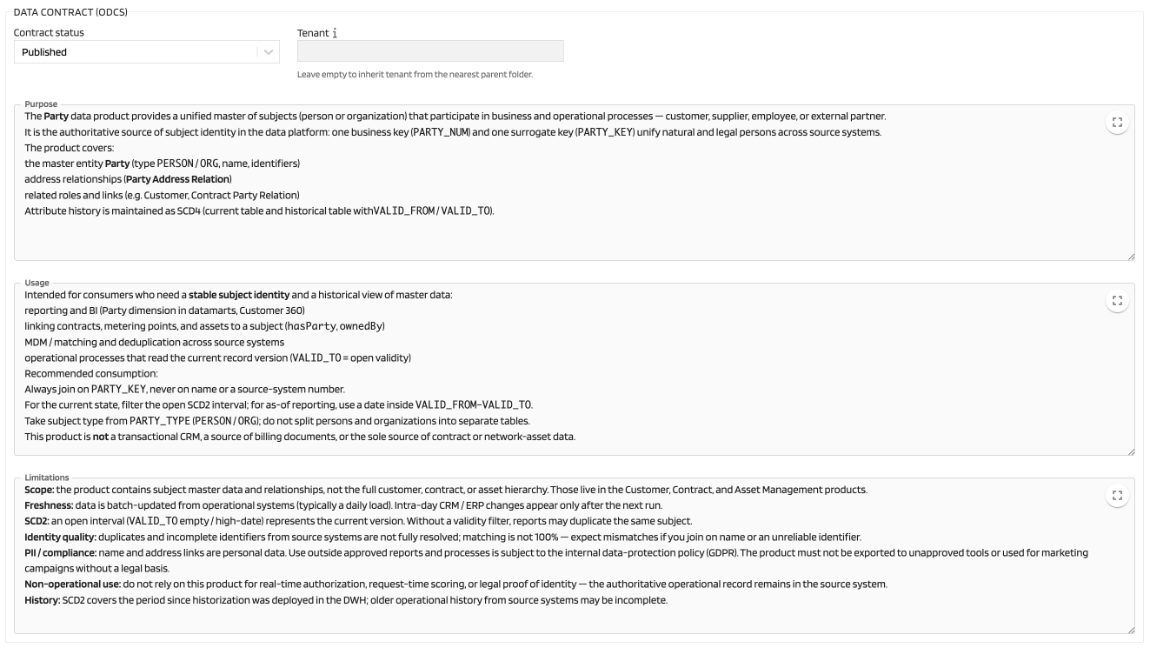
| Contract status | odcsStatus | Lifecycle state of the contract version (see below) |
| Tenant | odcsTenant | Free-text tenant identifier. Leave empty to inherit from a parent folder |
| Purpose | odcs.purpose | Markdown — why this data exists |
| Usage | odcs.usage | Markdown — intended consumption |
| Limitations | odcs.limitations | Markdown — known constraints or caveats |
Contract status #
| Value (UI label) | Meaning |
|---|---|
| Draft | Default working state; changes accumulate here |
| Under review | Contract is under validation or deployment review |
| Review | Additional review state in the contract lifecycle |
| Published | Fixed published version of the contract |
| Retired | End-of-life version (typically a previously published version replaced by a new one) |
The status describes the contract version lifecycle, not whether the folder itself exists. Only one published version is active at a time in the contract model; publishing a new version typically retires the previous published one.
Tenant inheritance #
Leave Tenant empty on a subfolder to inherit the effective value from the nearest ancestor folder that defines a tenant.
When inherited, MetaCroc shows a hint such as Effective tenant: ACME_CORP (inherited from Sales). Enter a local tenant value to override inheritance for that folder and its descendants.
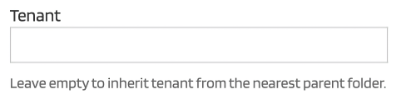
Tenant inheritance follows the standard MetaCroc folder hierarchy. A locally set tenant always takes precedence over an inherited value.
Business domain #
The Business domain field in the Overview Business metadata section (see
Overview) complements ODCS metadata. It links the folder to an organizational business domain and serves as the source for future mapping to ODCS domain in export scenarios.
Relationship to column data quality checks #
| Layer | Where | What |
|---|---|---|
| Contract header | Folder → Overview → Data contract (ODCS) | Status, tenant, purpose, usage, limitations |
| Quality rules | Table → Columns → Great Expectations check | Per-column ODCS DQ rules (odcsDqRules) |
Header metadata provides context for the data product; column checks define measurable quality expectations on individual fields.
Planned extensions #
Future releases may add automated ODCS YAML export, contract versioning workflows, and tighter integration between folder status transitions and deployment processes. Export and versioning behaviour is defined in internal ODCS requirements and is not part of the current UI.