
Column data quality checks #
MetaCroc lets you attach Great Expectations-style data quality checks to business columns on a Table — for example not null, value in set, matches regex, or between min/max. Checks are stored as ODCS data-quality rules on the column (odcsDqRules) and are saved together with the table metadata.
This feature is available on Tables only (not on View columns or technical columns).
For folder-level contract header fields (status, tenant, purpose, and so on), see Data contract on Folder. For how header metadata and column rules fit together, see Data contract (ODCS) in MetaCroc.
Prerequisites #
- The table must be in edit mode to add, edit, or remove checks.
- The column should have a Domain and Data type defined. MetaCroc infers a logical column type (string, number, or date) from the domain, which filters which expectation types are available.
Step-by-step workflow #
- Open a Table and go to the Columns tab.
- Enter edit mode.
- On a business column row, click the Great Expectations check action (rule icon). If checks already exist, a badge shows the count.
- In the Column expectations dialog, review saved checks as tiles. Click Add to create a new one.
- In the Great Expectations — column check form:
- Select an Expectation type (only types allowed for the column’s inferred type are listed).
- Fill in type-specific parameters (for example min/max, value list, or regex).
- Optionally set Severity (Info / Warning / Critical), Mostly (fraction 0–1), and Row condition (SQL).
- Click Save expectation to return to the tile list.
- Save or Push the table — checks are not persisted independently of the table.
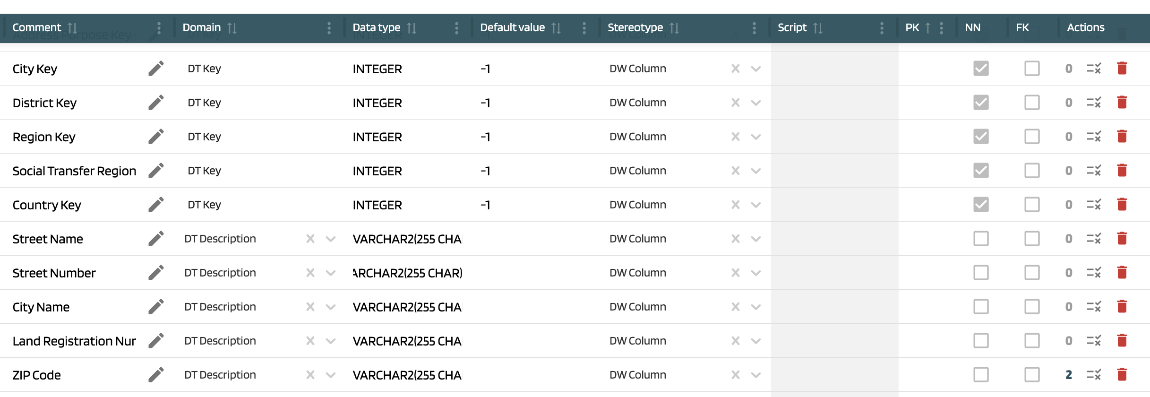
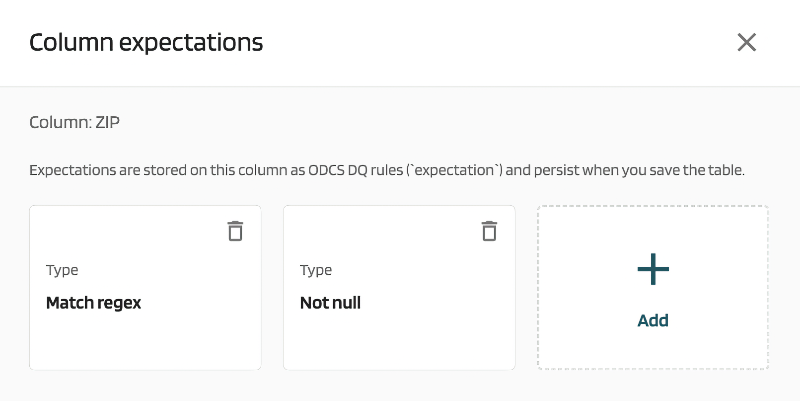
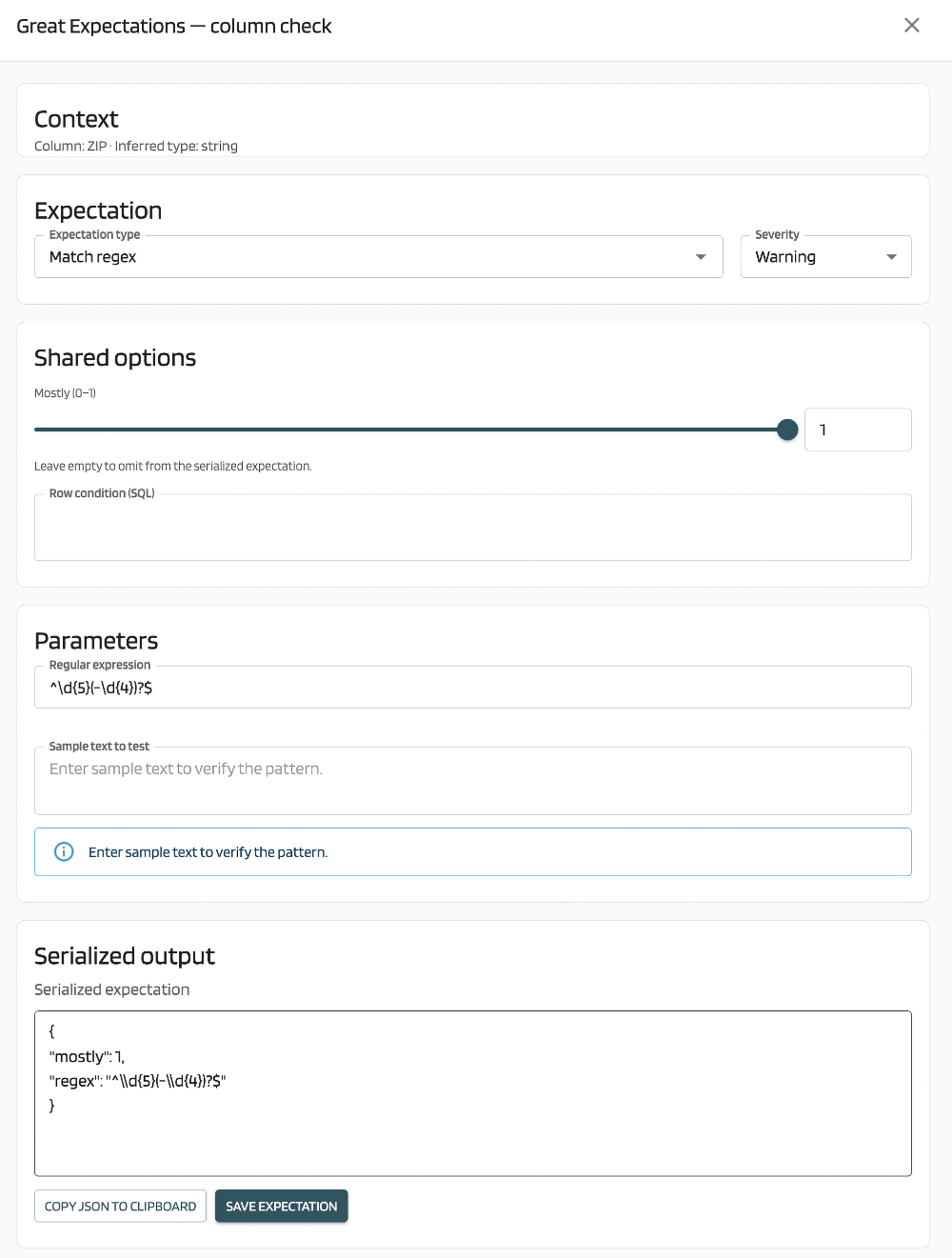
Expectations are stored on the column as ODCS DQ rules and persist when you save the table. They are not saved independently of the table element — always complete table Save/Push after editing checks.
Expectation types and filtering #
Available expectation types come from a company-scoped expectation catalog (definition code, allowed data types, parameter template, provider). The UI filters the catalog by the column’s inferred logical type.
Expectation types are grouped in the picker as follows:
| Group | Examples |
|---|---|
| Basic & technical | Not null, type check, unique |
| Range checks | Between min/max bound |
| Sets & lists | Value in list, value not in list |
| Patterns | Regex match, string length |
While the catalog loads, the editor shows Loading expectations…. If the request fails, you see Could not load expectations from the server. If no types are allowed for the column type, you see No expectations available for this column type.
If the catalog is empty, MetaCroc can fall back to a built-in default set of expectation types so the feature remains usable without admin setup.
Common parameters #
| Parameter | Description |
|---|---|
| Expectation type | Selected from the catalog (or built-in fallback) |
| Severity | Info → info, Warning → warning, Critical → error |
| Mostly | Fraction between 0 and 1; share of rows that must pass. Leave empty to omit from the serialized expectation. |
| Row condition (SQL) | Optional SQL expression limiting which rows the check applies to |
| Type-specific fields | Min/max bounds, value list, regex (with optional sample text test), string length, and others depending on the selected type |
Serialized preview #
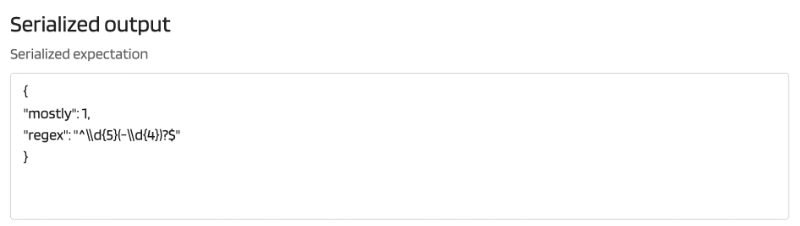
The editor includes a read-only Serialized expectation panel showing the JSON that will be stored on the column. You can use Copy JSON to clipboard to inspect or share the definition.
View mode #
Outside edit mode, you can still open the Column expectations dialog to review existing checks. Add and remove actions are disabled.
Expectation catalog administration #
The expectation catalog is managed via backend API (/v2/admin/expectations, /v2/admin/expectation-providers). There is no Settings UI page for it yet.
Relation to folder data contract #
Folder Data contract (ODCS) fields describe the contract header (status, tenant, purpose, usage, limitations). Column Great Expectations checks are the contract’s quality rules, defined per column. Both use the ODCS metadata family but are edited in different places.
Planned extensions #
MetaCroc’s data model also supports additional rule kinds for future UI and ODCS export:
- ODCS library — predefined metrics such as null values or duplicate values
- SQL — custom SQL query with operators
- Free text — human-readable quality description without machine execution
- Databricks DQX — Databricks Labs DQX check functions
Release 200 ships the Great Expectations editor only. The API schema already includes definitionKind values for the broader model; additional editors will follow in later releases.
Related #
- Table
- Domains — logical data type concept shared with expectation filtering
- Data contract (ODCS) in MetaCroc